 listicle
9 Best AI Apps for Reading and Writing Help in 2026
Quick Summary
The best ai apps for reading and writing help depend on the task: K5 Homework Aid For Parents suits K-5 homework, ChatGPT or Claude suit general writing feedback, and Newsela suits leveled reading for Grades 2-12. Free plans vary, and privacy and accuracy should be checked before uploading a child's work.
- K5 Homework Aid For Parents detects grade level from a homework photo and offers a free plan.
- General assistants like ChatGPT and Claude are best for brainstorming, outlining and feedback on drafts.
- Newsela publishes informational articles at multiple reading levels, edited by human editors.
- NotebookLM answers questions only from uploaded documents, reducing made-up citations.
- Check each app's privacy policy for how long it keeps uploaded photos and whether it trains on them.
Table of Contents
- How We Evaluated These AI Apps for Reading and Writing Help
- Quick Comparison: Reading and Writing AI Apps at a Glance
- Best AI Writing Tools for Students: General-Purpose Assistants
- AI Reading Assistants: Tools That Explain and Summarize Text
- AI Homework Tools for Elementary Students: K-5 Options and What to Check
- Free AI Apps for Reading and Writing Help: What the Free Tiers Include
- Privacy, Accuracy and Accessibility: What Parents Should Check Before Uploading
- Choosing the Right AI App for Your Child's Reading and Writing Support
- Frequently Asked Questions
How We Evaluated These AI Apps for Reading and Writing Help
Last Updated: November 4, 2026
Parents searching for ai apps for reading and writing help face a crowded market, and most lists mix general chatbots with tools built for students. This guide is designed to separate the two. Our aim is to show which apps genuinely help a child read and write, and which ones simply produce answers.
Our evaluation focused on five practical questions: whether the app explains reasoning, whether it supports reading aloud, how it handles privacy, what the free tier includes, and whether it suits young learners. We did not run controlled classroom trials, so this guide reflects published product information and the features each vendor describes rather than hands-on testing.
Ai apps tend to fall into three groups: general-purpose assistants, reading tools, and homework tools built for younger students. Knowing which group an app belongs to helps you set realistic expectations before you download anything.
Quick Comparison: Reading and Writing AI Apps at a Glance
Quick Picks:
- Best for K-5 homework explanations: K5 Homework Aid For Parents, which reads a photo and explains the method
- Best general-purpose writing help: ChatGPT or Claude, for drafting and feedback
- Best for reading level material: Newsela, for leveled informational texts across Grades 2-12
| Tool | Free Plan | Starting Price | Best For | Standout Feature |
|---|---|---|---|---|
| K5 Homework Aid For Parents | Available | Check website | K-5 homework | Photo-based grade detection |
| ChatGPT | Not verified | Not verified | General writing | Document analysis |
| Claude | Not verified | Not verified | Feedback and reasoning | Writing feedback |
| Gemini | Not verified | Not verified | Everyday questions | Web search |
| NotebookLM | Not verified | Not verified | Source-based study | Answers from your materials |
| Jasper | Not verified | $39/month (single seat) | Marketing copy | Brand-consistent content |
Pricing for several tools was not verified in our research, so check each vendor's site before you subscribe.
Best AI Writing Tools for Students: General-Purpose Assistants
General-purpose assistants are the most flexible writing help available, but they are also the easiest to misuse. The useful distinction is not which assistant is "smartest" but which one fits a specific step in the writing process: brainstorming, outlining, drafting, revising, or checking grammar and tone.
Brainstorming and idea generation. ChatGPT and Gemini both handle open-ended prompts well, such as generating counterarguments for an essay or listing angles on a topic. The mechanism is straightforward: you describe the assignment and constraints, and the model returns options. The trade-off is that suggestions tend to cluster around common positions, so students should ask for unusual or opposing angles explicitly.
Outlining and drafting. Claude is often described as stronger at long-form structure and at following detailed instructions across a multi-paragraph draft, which makes it useful for building an outline from research notes and then expanding each section. ChatGPT's document upload lets a student paste a source and ask for a summary or a critique of their draft.
Grammar, clarity, and tone improvement. Dedicated grammar tools such as Grammarly and LanguageTool focus on sentence-level corrections and tone suggestions, and they integrate into browsers and word processors rather than requiring a separate chat window.
Academic paper and research support. For source-based work, the risk shifts from quality to accuracy. General assistants can produce confident citations that do not exist.
Book and long-form writing support. For longer projects, tools such as Sudowrite are built around fiction and narrative drafting, offering continuation suggestions and descriptive alternatives. These are niche tools, and they are not a substitute for a student learning to structure an argument, but they illustrate that "AI writing help" covers very different products depending on the format.
Watch out: the biggest failure mode with any general assistant is that it writes the assignment for the child. Set a rule that the assistant may suggest, question, and comment, but the student writes the final sentences and can explain every change in their own words.
For parents comparing options, the practical test is to give the same real assignment to two assistants and compare the feedback. The one that asks clarifying questions and points to specific weaknesses in the draft is usually more useful than the one that returns a polished replacement paragraph.
AI Reading Assistants: Tools That Explain and Summarize Text
Reading support is where AI apps differ most, and it is also where most roundups stop at "summarizes text." Summarization is only one of several reading-help mechanisms, and for a child who struggles to read, the other mechanisms often matter more. These four functions also offer a useful way to compare digital reading apps, since the right support depends on whether a child needs help accessing words, understanding them, or studying what they have read.
Leveling. Newsela takes a news or informational article and publishes it at multiple reading levels, so a child in Grade 2 and a sibling in Grade 8 can read the same topic at a comfortable level. The mechanism is editorial: human editors rewrite the text to match grade bands rather than an AI simplifying it on the fly. That makes the leveling more reliable but limits the library to what Newsela has published.
Decoding and text-to-speech support. For a child who struggles to decode words, read-aloud support is the most important feature. Built-in operating-system tools such as iOS Speak Screen and Android Select to Speak, plus browser extensions like Read Aloud, can read almost any text on screen without a subscription. Dedicated apps such as Speechify add adjustable reading speed and voice choice.
Comprehension support. Tools that explain rather than summarize are more useful for learning. Asking an assistant to "explain this paragraph as if I am in Grade 4" or "ask me three questions about this passage" turns reading into an active task. A common pattern is to read a passage, close the source, and have the child explain it back before the app summarizes it, so the summary checks understanding rather than replacing it.
Source-grounded study. NotebookLM answers questions using only the documents you upload, which reduces the hallucination risk that comes with general chatbots summarizing from memory. This makes it useful for studying from a textbook chapter or a set of class notes, because the answer can be traced back to the source.
Accessibility and learning differences. Reading help is not only about summarization. For dyslexia, look for adjustable fonts, line spacing, and a read-aloud voice that highlights words as they are spoken. For ADHD, shorter passages, progress indicators, and the ability to break a long article into sections help more than a summary. For language learners, dual-language display and adjustable reading levels are more useful than grammar correction.
From reading to writing. The clearest workflow gap in most guides is the handoff between reading and writing. A practical sequence is: read a source in a leveled or source-grounded tool, extract notes into a document, ask an assistant to help outline those notes, draft in a general writing tool, then return to the source to verify every claim and citation.
Watch out: a summary can be accurate and still mislead a child into thinking they understood the source. Always check comprehension with a question the child answers in their own words before relying on the app's summary.
AI Homework Tools for Elementary Students: K-5 Options and What to Check
Younger children need tools that match the methods their teachers use. K5 Homework Aid For Parents is designed for K-5 students. You photograph an assignment, the app detects the grade level, and it gives an explanation written for that age.
Pros:
- Detects the grade level from the photo, so there is no manual setup
- Text-to-speech supports early readers
Cons:
- Works best with clear, well-lit photos of the assignment
- Results should still be checked against your child's classroom materials
Before you choose any K-5 tool, ask whether it explains the method or only gives the answer. Children learn more when they can follow the steps themselves.
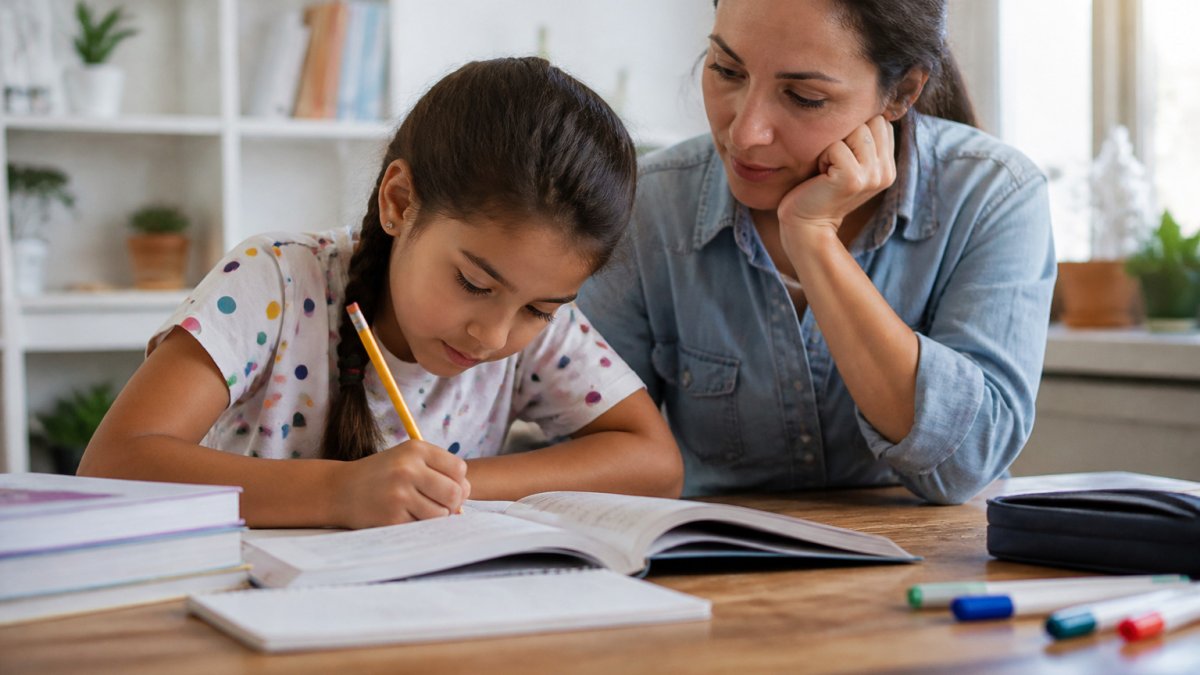
!A parent and a young child sitting together at a kitchen table with a tablet propped up between them, homework papers spread out, warm natural daylight

Free AI Apps for Reading and Writing Help: What the Free Tiers Include
Many of these apps offer a free plan, but the limits vary. K5 Homework Aid For Parents lists a free plan as available. For other tools in this list, we could not verify what the free tier includes, so test each one before relying on it.
A free plan is a good way to find out whether an app explains things the way your child needs. Try it with a real assignment rather than a sample question.
Privacy, Accuracy and Accessibility: What Parents Should Check Before Uploading
Uploading a child's homework means sharing their work with a company. Before you decide, see is AI homework help safe for kids for the key facts parents should weigh. Read the privacy policy and find out how long the company keeps uploaded photos and whether it uses them to train its models.
Accuracy also matters. An app can give a confident but wrong answer, so review explanations before your child submits anything. Use the app as a study aid, not as a final authority.
For accessibility, check whether the app offers read-aloud support, adjustable text and clear layouts. These features help children who find reading tiring.
Choosing the Right AI App for Your Child's Reading and Writing Support
Start by naming the problem. If your child struggles with a specific K-5 subject, a homework photo tool may help most. If your child needs help with reading level or comprehension, look at leveled text and summarization tools. For drafting and feedback on older writing, a general assistant may be the better fit.
Test one app for a week with real homework. Notice whether your child understands the work better afterward or simply finishes faster. That result will tell you more than any feature list. K5 Homework Aid For Parents offers explanations and text-to-speech for K-5 families.
Frequently Asked Questions
What is the best AI app for reading?
The best choice depends on whether the child needs explanations, read-aloud support or summaries. For elementary homework, an app that explains the method behind a problem and offers text-to-speech tends to be more useful than one that only returns answers. K5 Homework Aid For Parents is built for K-5 homework and includes text-to-speech. Compare how each app explains a sample assignment from your child's school before committing, and check the current pricing directly on each provider's website.
Are there free AI apps for reading and writing help?
Several tools offer free tiers, including general-purpose assistants and K5 Homework Aid For Parents, which lists a free plan. Free tiers usually limit daily use, features or file types, so check what is included before relying on one for a school routine. Pricing for paid plans varies by provider and can change, so confirm current rates on each official website rather than relying on older reviews.
Can AI apps help children understand reading and writing assignments?
They can, but the result depends on how the child uses them. Apps that show the reasoning step by step help a child learn the method, while apps that only produce a final answer can encourage copying. Ask your child to explain the steps back to you after using the app, and use the explanation as a check on understanding. Look for tools that match the teaching methods your child's school uses, and confirm that the explanations are accurate by checking them against the worksheet or textbook.
Choosing an AI app for homework should make your child more confident, not more dependent. Try K5 Homework Aid For Parents on a real assignment and see how the explanations fit your child's classroom.